+
+

To integrate NETGEAR gs305 with MetricFire, please sign up for a free 14 day trial. We want to fully understand your requirements and monitoring goals, so we can advise you on how to obtain better visibility into your infrastructure. Please book a demo with us so we can show you how quick and easy it is to get meaningful data into your MetricFire account, and use that data to build custom dashboards and alerts.
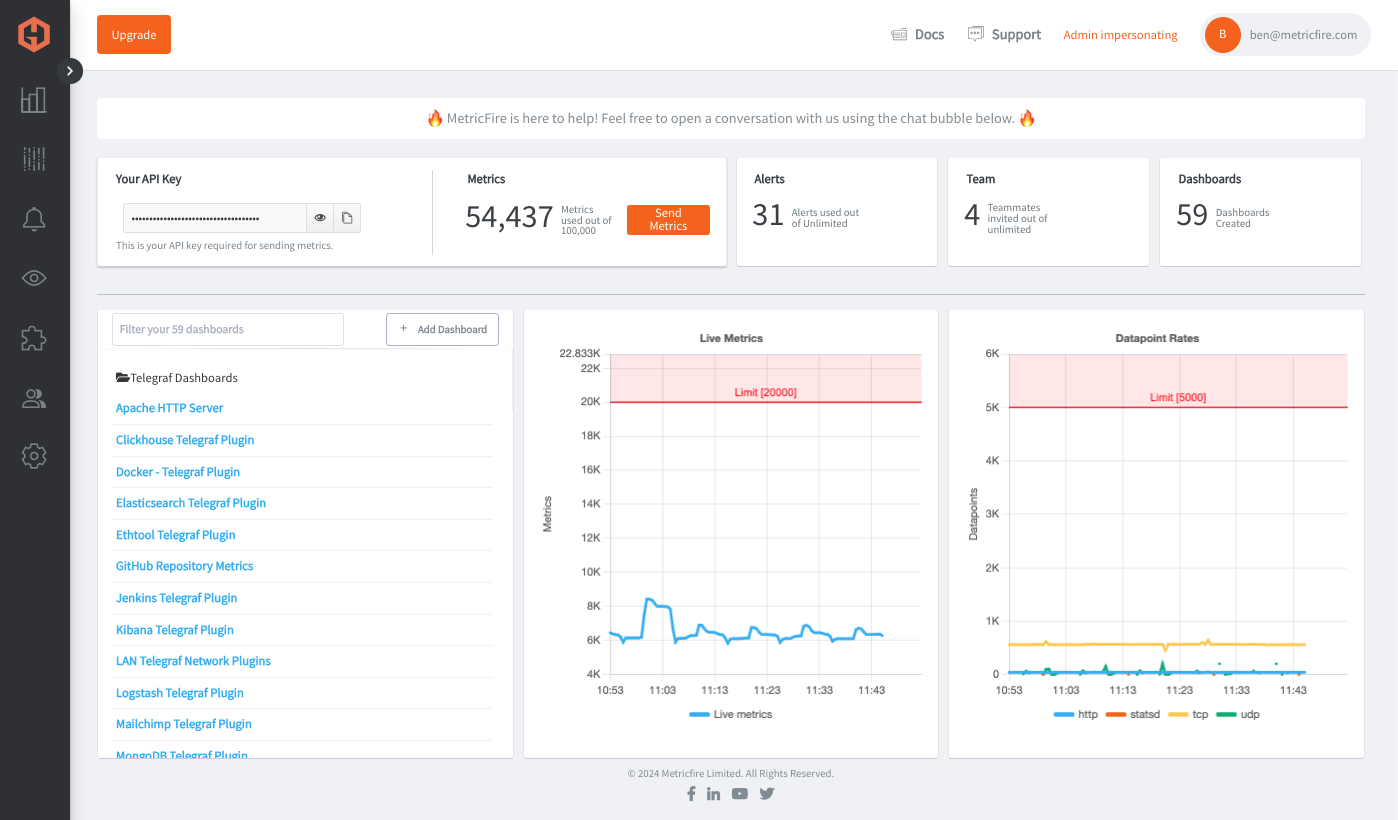
MetricFire is a cloud-based platform that provides a suite of monitoring and visualization tools for various technologies and infrastructures. Netgear GS305 is a 5-port gigabit Ethernet switch that offers high-speed wired connectivity for small and medium-sized networks. Integrating MetricFire with Netgear GS305 enables you to monitor the network traffic and performance of the switch in real time.
MetricFire provides a wide range of integrations, including Netgear GS305, which can be easily set up and configured through its simple user interface. The integration allows MetricFire to collect metrics from the switch and display them on customizable dashboards for easy monitoring and analysis.
You can sign up for a free trial at https://www.hostedgraphite.com/accounts/signup/. Once you have created your account, you will be redirected to the MetricFire dashboard. Then you can set up the Netgear GS305 integration from the MetricFire dashboard. Click on "Integrations" in the left-hand menu and search for "Netgear GS305". Click on the integration to open the setup page.
On the setup page, you will need to provide the IP address of your Netgear GS305 switch and the SNMP community string. You can also customize the name of the integration if you wish. Once you have entered the necessary information, click on "Save Configuration" to save the integration. MetricFire will start collecting metrics from the switch immediately after the configuration is saved. You can verify the integration by navigating to the "Metrics" section of the MetricFire dashboard and searching for metrics related to Netgear GS305. To monitor the metrics collected by MetricFire, you can create a dashboard by clicking on "Dashboards" in the left-hand menu and then clicking on "Create Dashboard". From there, you can add widgets that display the metrics collected by MetricFire in real-time.
Using MetricFire with Netgear GS305 provides a powerful tool for monitoring the performance and traffic of your network switch. With MetricFire's intuitive dashboard and customizable widgets, you can easily keep track of important metrics and identify issues before they become major problems.
MetricFire is a full-scale platform that provides infrastructure, system, and application monitoring using a suite of open-source tools. We will aggregate and store your data as time series metrics, which can be used to build custom dashboards and alerts. MetricFire takes away the burden of self-hosting your own monitoring solution, allowing you more time and freedom to work on your most important tasks.
MetricFire offers a complete ecosystem of end-to-end infrastructure monitoring, comprised of open-source Graphite and Grafana. MetricFire handles the aggregation, storage, and backups of your data, and offers alerting, team features, and API's for easy management of your monitoring environment. You can send server metrics using one of our agents, custom metrics from within your application code, and integration metrics from a variety of popular 3rd party services that we integrate with like Heroku, AWS, Azure, GCP, and many more!
Our Hosted Graphite product has improved upon standard Graphite to add data dimensionality, optimized storage, and offers additional tools and features that provide customers with a robust and well-rounded monitoring solution.


“We now have over ten times the amount of metrics we started with, and on different accounts. One of the great things about MetricFire is that scaling to support this increase has been hassle-free, requiring no additional work on our side.”
“Building and managing an on-premise installation at this scale would require a lot of engineer time, especially in the first year...we use this engineering time to work on initiatives closer to our core business”
“There’s complete transparency with everything MetricFire do which means we can accurately predict what we’ll be spending and comfortably keep within our budget.”
"Every time I have a question, I get an answer from support after just a couple of hours. Their technical knowledge is excellent.”
PrometheusのメトリクスをGraphiteのメトリクスとして監視することで、メトリクスの整理が簡素化され、管理や理解が容易な、明快で階層的な命名構造が実現されます。Graphiteのシンプルなクエリ構文と長期的なデータ保持への重点は、過去の傾向分析が重要な環境において理想的であり、Prometheusのラベルベースのシステムにしばしば伴う複雑さを軽減します。メトリクスをGraphiteに統合することで、操作や保守が容易な、よりユーザーフレンドリーで一貫性のある監視環境を構築できます。 Continue Reading
IoTデバイスを監視することで、その使用状況、環境条件、およびユーザーの行動に関する洞察を得ることができます。この記事では、メトリクスをMQTTブローカーに送信する方法、およびTelegrafエージェントを設定してこれらのメトリクスを受信し、データソースに転送する方法について詳しく説明します。 Continue Reading